
How to Delete Your Facebook Account: A Step-by-Step Guide
In the digital age, the popularity of social media platforms like Facebook has skyrocketed, but there comes a time when many users consider the option to delete their accounts. Whether it’s due to privacy concerns, a desire to escape from social media, or simply a need for a digital detox, knowing how to effectively remove your Facebook presence is crucial. In this article, we will provide you with a comprehensive guide on how to delete your Facebook account effectively and safely.
Reasons to Delete Your Facebook Account
Before we dive into the step-by-step guide, it’s important to contemplate why you may want to delete your Facebook account. Here are a few common reasons:
- Privacy Concerns: Many users feel uncomfortable with Facebook’s data collection policies and how their personal information is used.
- Time Consumption: Social media can be a major distraction, leading to less productivity and engagement in real-life activities.
- Negative Mental Health Effects: Studies have suggested a link between social media engagement and issues like anxiety and depression.
- Increased Anonymity: Some individuals prefer to decrease their digital footprint and focus on real-world interactions.
Steps to Delete Your Facebook Account
Deleting your Facebook account can be done in a few simple steps. Make sure to back up any important data before you proceed, as deletion is permanent and cannot be undone. Here’s how to do it:
Step 1: Log into Your Account
The first step is to log into your Facebook account on the desktop version of the site. This process is currently best executed through a web browser rather than the mobile app.
Step 2: Go to Settings
Once you’re logged in, click on the downward-facing arrow in the upper right corner. From the dropdown menu, select “Settings & Privacy” and then click on “Settings”.

Step 3: Access Your Facebook Information
In the left-hand column, click on “Your Facebook Information.” This section contains various options regarding your account’s data and privacy settings.
Step 4: Deactivation and Deletion
Within “Your Facebook Information”, you will see an option labeled “Deactivation and Deletion.” Click on it to proceed to the next step.
Step 5: Choose Permanently Delete Account
Here you will be given two options: “Deactivate Account” and “Permanently Delete Account.” Choose “Permanently Delete Account” to proceed with the deletion process.
Step 6: Confirm Your Decision
Facebook will present you with information about the consequences of deleting your account. Take the time to read this information. If you are sure you want to proceed, click on “Continue to Account Deletion.” You may be asked to enter your password and complete a security check.
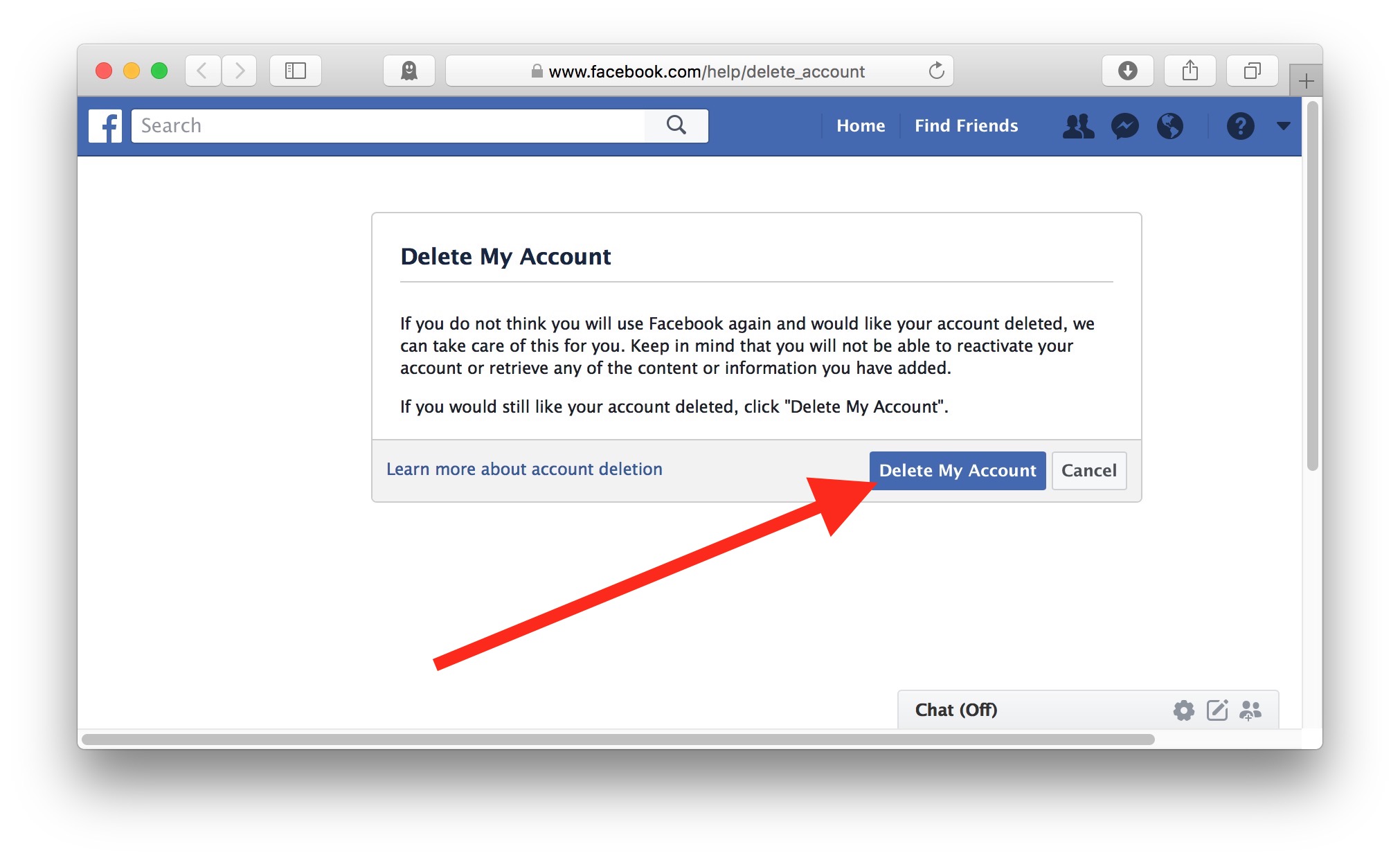
Step 7: Final Confirmation
After you’ve completed the security check, you will receive a final confirmation screen. Make sure that you want to delete your account; once confirmed, click on “Delete Account.” Your account will then be scheduled for deletion.
What Happens After Deletion?
Once you’ve confirmed the deletion of your account, Facebook typically deactivates your account for a period of 30 days before permanently deleting it. During this time, you can still log in and cancel the deletion if you change your mind. However, after this period, all your data, including photos, posts, and messages, will be completely removed from Facebook’s servers.
Things to Consider Before Deleting Your Account
Before you go ahead with deleting your Facebook account, it is essential to consider the following:

- Backup Your Data: If you wish to keep any of your posts, photos, or friend connections, ensure that you back up your data using Facebook’s data download feature.
- Impact on Other Accounts: Many services allow you to log in using your Facebook account. Before deleting, consider if you will lose access to these accounts.
- Alternative Options: If you’re looking to take a break instead of permanently deleting your account, consider temporarily deactivating it.
Conclusion
Deleting your Facebook account is a significant decision that comes with its own set of consequences and considerations. Whether you choose to permanently say goodbye to Facebook or take a short break by deactivating your account, the right choice will ultimately depend on your personal preferences and situation. If you are ready to move on from Facebook, following the steps outlined in this guide will ensure a smooth deletion process.
For more detailed information on how to delete your Facebook account through the app, you can check out this source: How to Delete a Facebook Account via the App https://crazyfb.shop/en/page/kak-udalit-akkaunt-facebook-cherez-prilozhenie